For more than two decades GearHost has been a small team doing hosting the personal way. This year we rebuilt the platform underneath it from the ground up. Today the new website and Octane, the new customer portal, are live. This post is the tour.
If you already host with us, the short version is: nothing changes for you today. Your sites, email and databases are running where they were, you log in the same way, and you pay the same price. The rest of this post shows you what is coming and why we think you are going to like it. It is not a fresh coat of paint.
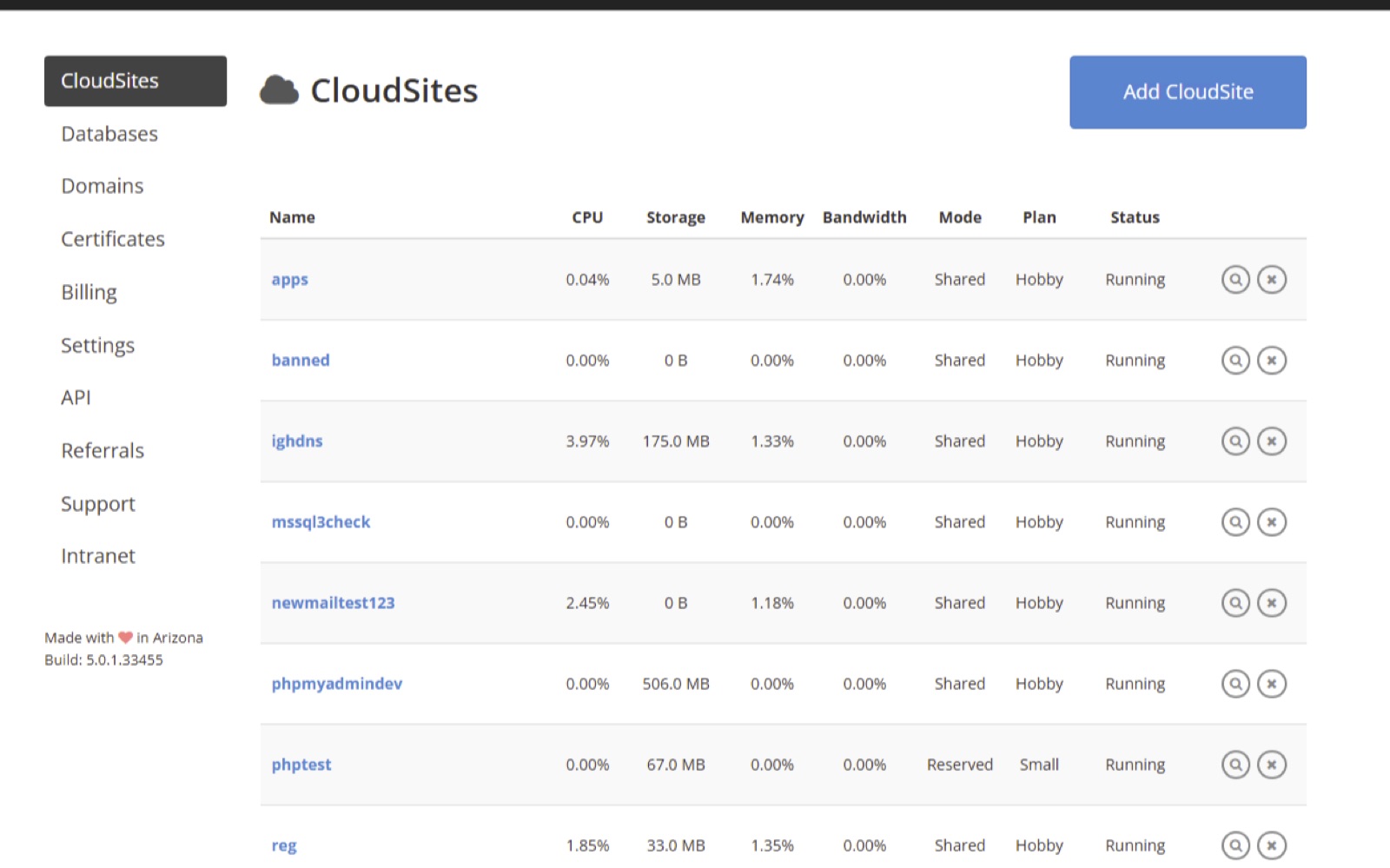
What stays the same
Your login. Existing customers keep using my.gearhost.com until we move you. New accounts start on the new panel.
Your price. Current pricing stays in place, and it stays in place for at least 90 days after your account moves.
Your sites. .NET, PHP and Node.js, FTP publishing, custom domains, SQL Server and MySQL. All still here.
Us. Same team, same phone number, same support@gearhost.com. A real person still reads every ticket. The boutique part of GearHost is not going anywhere.
What is new: a walk through the panel
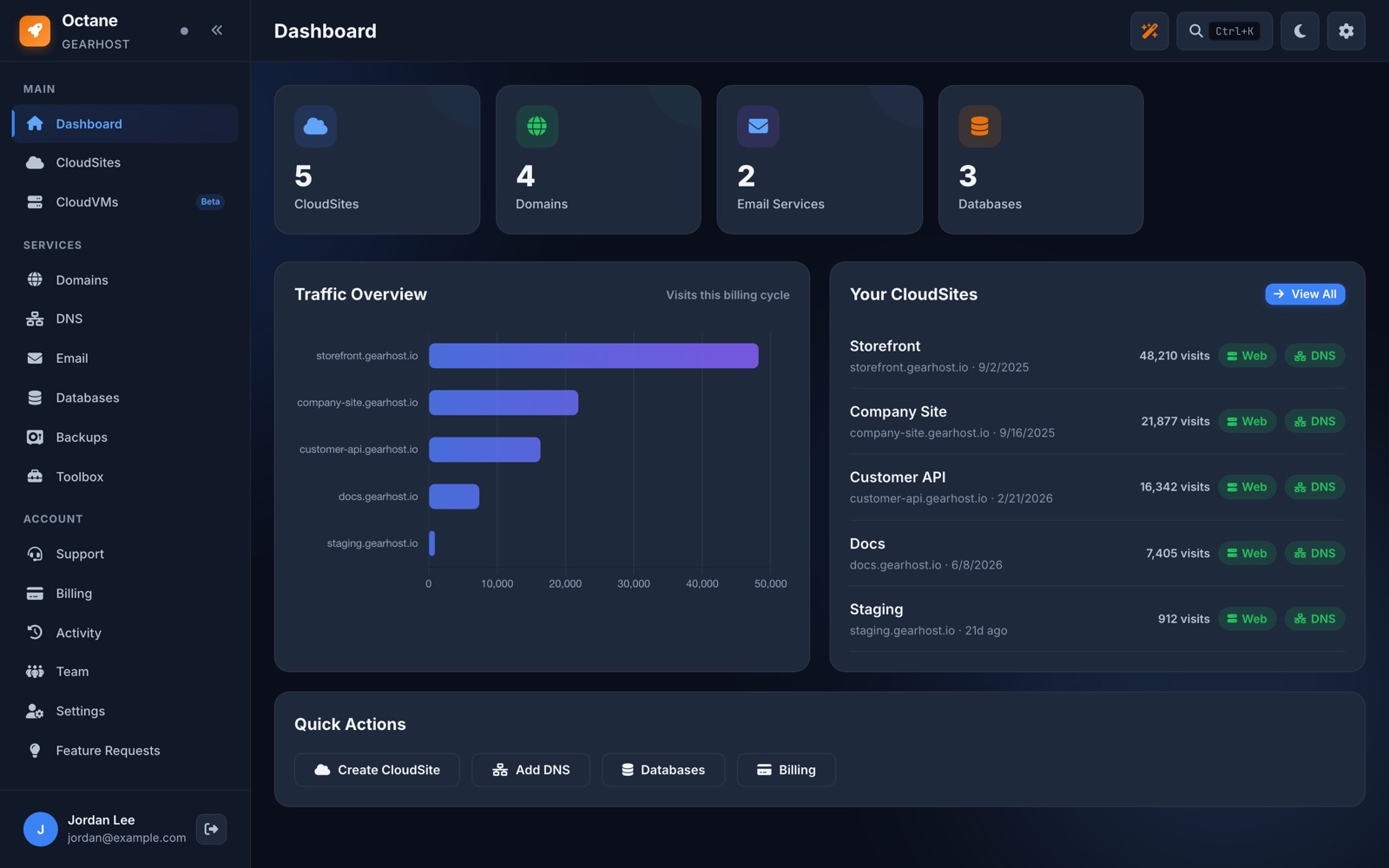
We call the new control panel Octane. Here is what you see after you sign in.
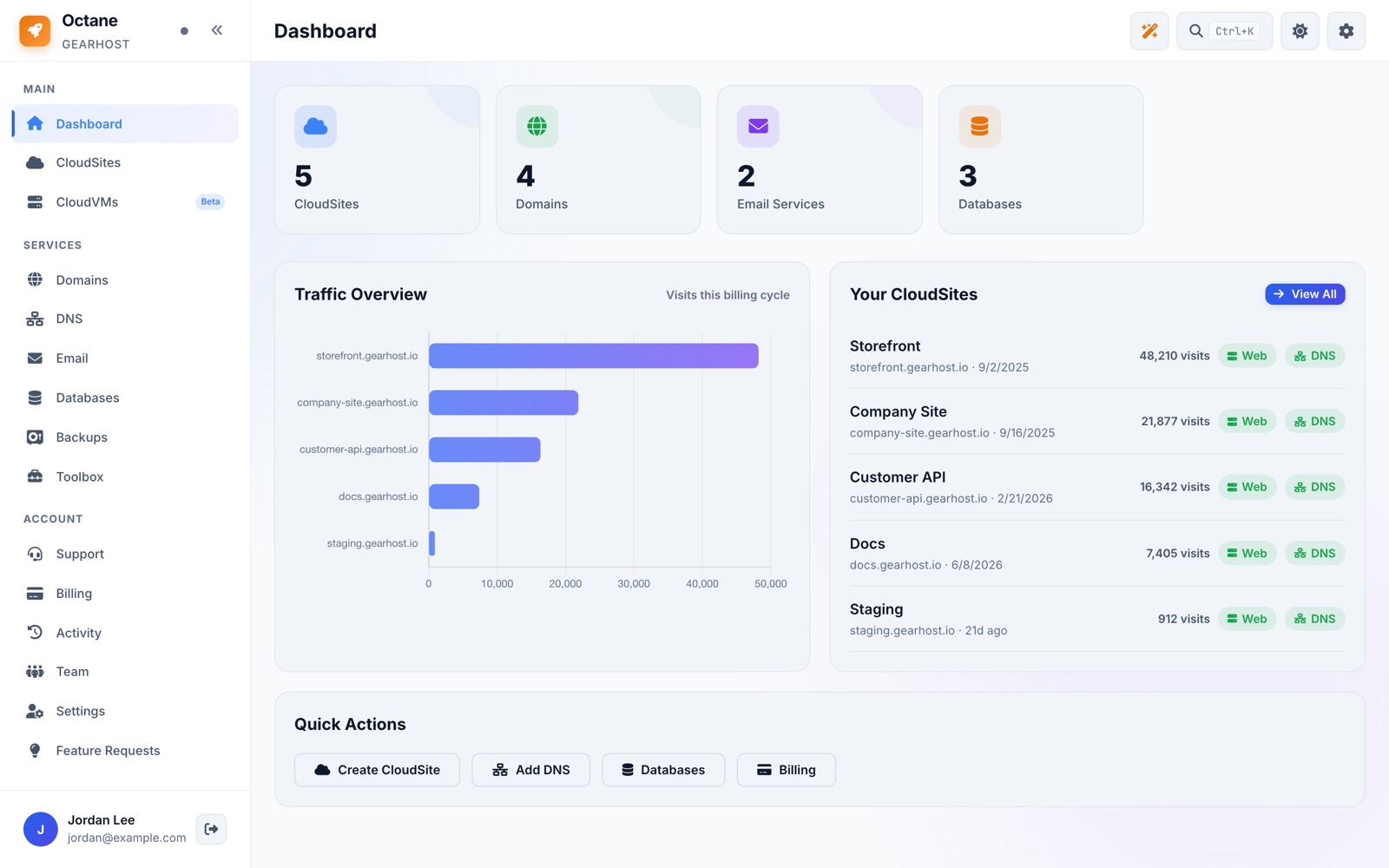
Dashboard
One screen with everything on your account: how many sites, domains, mailboxes and databases you have, traffic per site for the billing cycle, and quick buttons for the things you do most. It works on your phone, and there is a dark mode (the moon icon at the top right) if that is your thing.
CloudSites
A CloudSite is one domain and everything attached to it: web hosting, email, DNS, SSL and databases, all on one page instead of five menus. Each site shows its plan, its traffic and how it was last deployed.
Deploying is where the biggest change is. You now have four ways to get code onto a site:
- FTP, exactly like today.
- Git or GitHub push. Push to a branch and the site updates.
- The deploy API. Point your CI pipeline at one URL with a token.
- AI tools. Tell Claude, ChatGPT or Cursor to publish to GearHost and it does, over MCP. A few customers are already running their whole site this way and have not opened FTP in weeks.
Want to try the AI route right now? You do not need an account. Paste this into Claude or ChatGPT:
Build me a one page website for my bakery, Sunrise Bakery in Denver. Include our hours (7am to 3pm, closed Mondays), a short about section and a contact form. Then publish it to GearHost using the MCP server at https://mcp.gearhost.com/ and name the site sunrise-bakery. Give me the live link when it is done.
About thirty seconds later you get a link like sunrise-bakery.gearhost.io. If your AI tool asks how to connect, point it at mcp.gearhost.com; it reads the instructions itself. The site stays up for three days as a preview. To keep it, claim it to a free GearHost account from the link the AI gives you, then add your own domain and email from the panel. Say "change the hours to 6am" and it updates the same site.
High Availability Hosting
This is the biggest change in the platform, so it gets a longer explanation.
A normal website runs in one place. Ours did too. The new platform lets a site run in more than one place at the same time. We call each place a zone. A zone can be our Denver data center, a public cloud like AWS, Azure or Google Cloud, or even a server at your own office. You pick the zones, GearHost keeps the copies in sync, and visitors are sent to whichever zone is healthy. If a zone goes down for any reason, traffic routes around it on its own. Nobody has to notice, including you.
The part we are proudest of is that all of it is managed from the one panel. You do not need an account with AWS or Azure, you do not need to learn their tools, and you do not need to wire anything together yourself. Turn High Availability on for a site, choose the zones, and the panel handles the rest. You can mix and match providers per site, and change your mind later.
It is an add-on, priced per plan on the plans page, so a hobby site is not paying for it. There is an interactive demo on the home page where you can take a zone offline and watch traffic move.
Email and DNS
Email is its own product now, so a site with no mail does not pay for mail. Turn it on per domain, manage mailboxes and aliases from the same card, and add HA email if you need mail stored in two places.
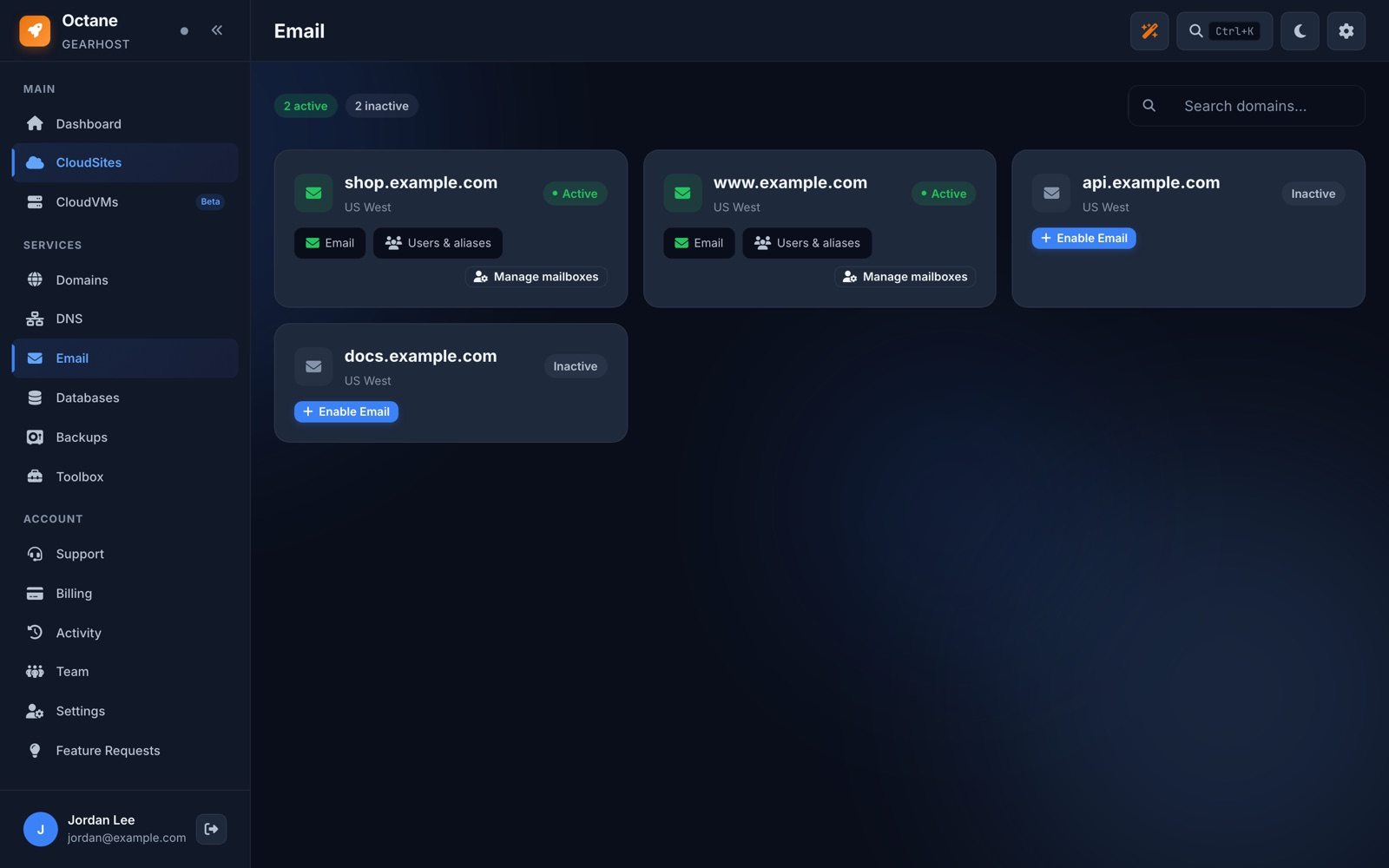
DNS is a full record editor for every domain on your account. Changes take effect right away.
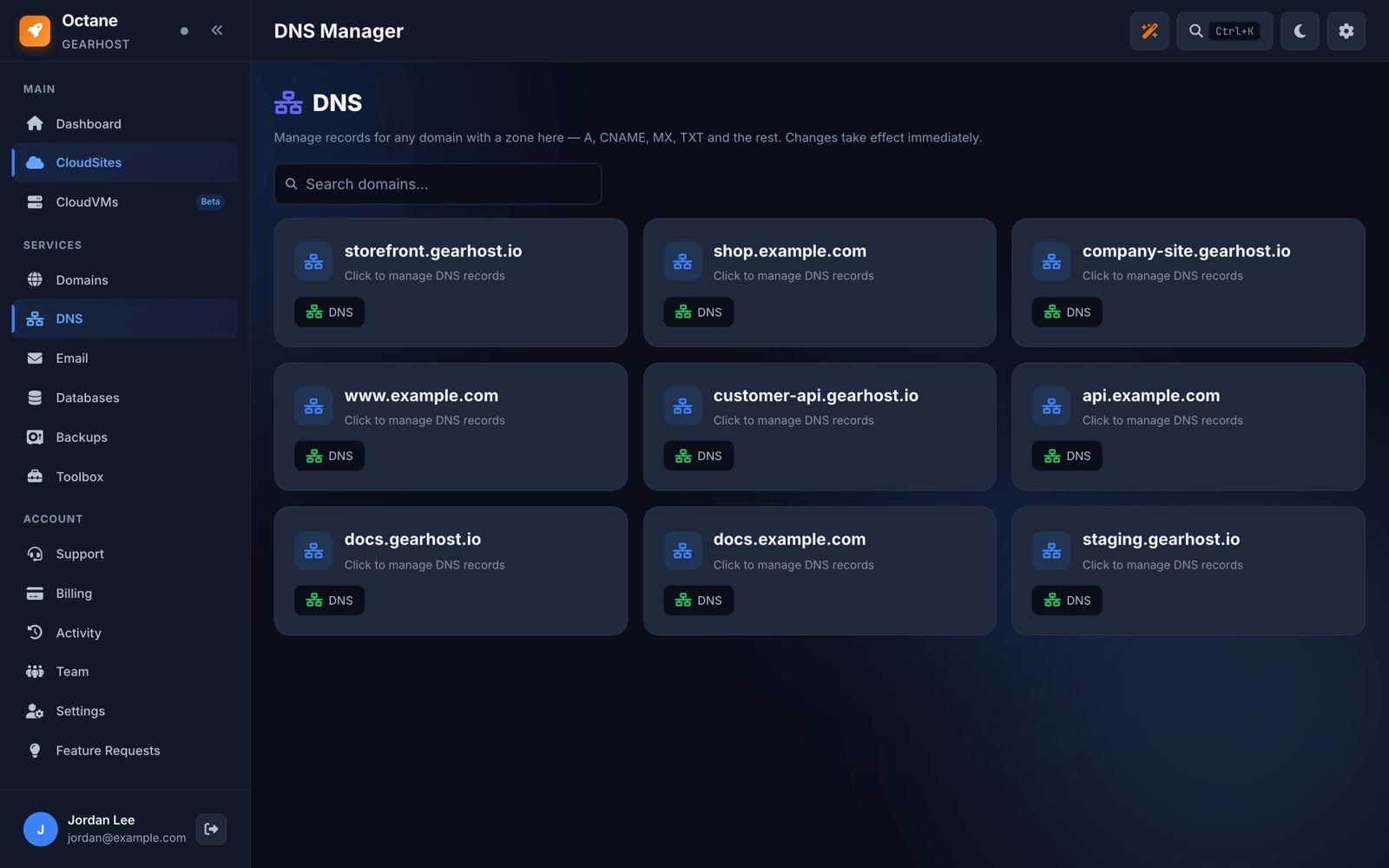
Databases and backups
SQL Server and MySQL, created in a few seconds with a connection string ready to paste. You can run queries right in the browser, which saves opening Management Studio for a quick look. Backups run on a schedule, and you can back up and restore a database from the panel, including large ones.
Billing
One page: what you pay each month, the card on file, and every invoice. If a payment fails you get an email before anything is turned off.
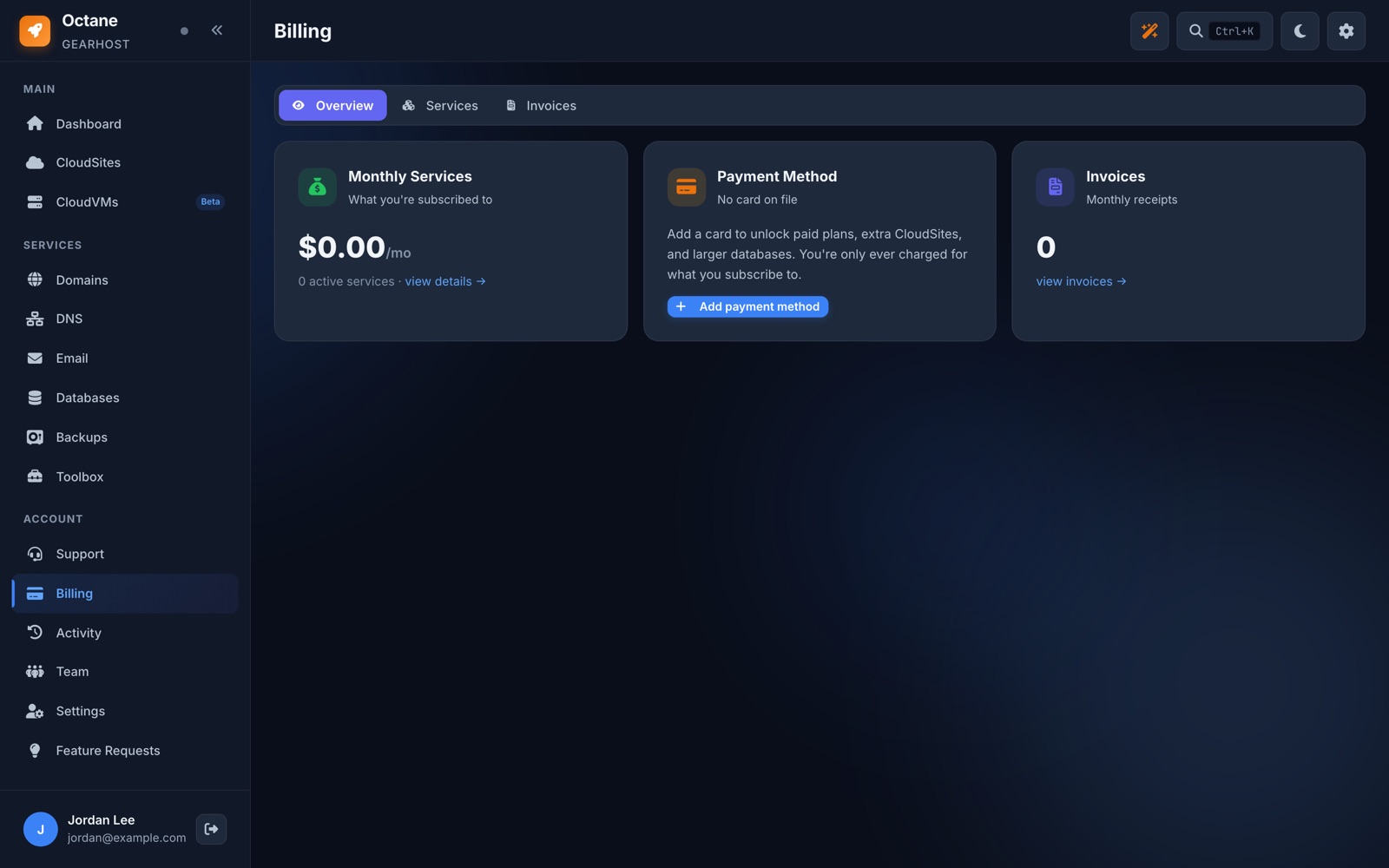
Small things you will probably like
Ctrl+K opens a search box that jumps to any site, domain, database or page in the panel.
Give a developer or a coworker their own login to your account instead of sharing yours.
Every deploy, restart, DNS change and login, with who did it and when.
There is a Feature Requests page inside the panel. Ask for something and we see it.
Deploy a site and the panel throws confetti. Nobody asked for it. Nobody is taking it out.
Any AI tool can push a page to a live gearhost.io address in seconds, then you claim it to your account.
Plans
Hobby is free and does not need a card. Starter is $15 a month for a first public site. Launch, Business and Enterprise go up from there. Email, databases, extra zones and High Availability are add-ons, so you only pay for what you use. The full list is on the plans page.
What this means if you already host with us
Your account is still on the classic control panel at my.gearhost.com. It keeps working and your pricing stays the same.
Over the next few weeks we will move accounts to the new platform in batches. You will get an email from us before your account moves, with the date and what to check afterwards. Your current pricing stays in place for at least 90 days after the move, so there is time to look at the new plans without any pressure.
If you want to move early, reply to that email or open a ticket and we will move you. A few customers have already done this and their feedback is a big part of why the panel looks the way it does. More detail is in the existing customers page in the docs.
What is next
A short video walkthrough of the panel is coming next week. After that we will write up one feature a week here so you know what it does and how to use it. Over the coming months there are more products on the way, and we would rather show them to you one at a time than list them now. Docs are at gearhost.com/docs.
If you have a question about any of this, email support@gearhost.com or reply to the launch email. We read every one.
GearHost Team
Built on legacy. Engineered for the future.